
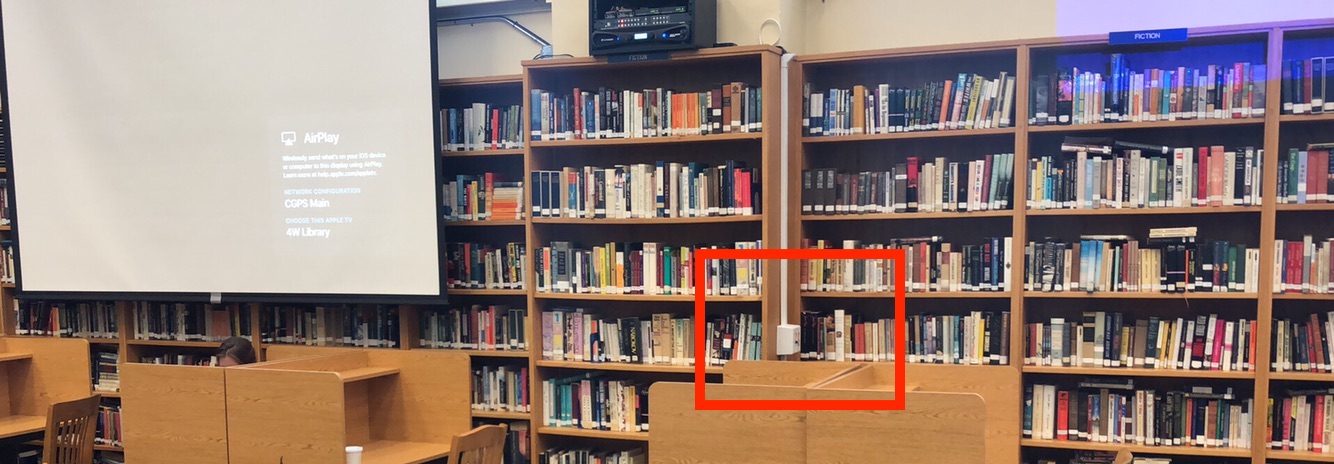
Step 1: Go over to the right side of this bookcase where you will find the control panel.
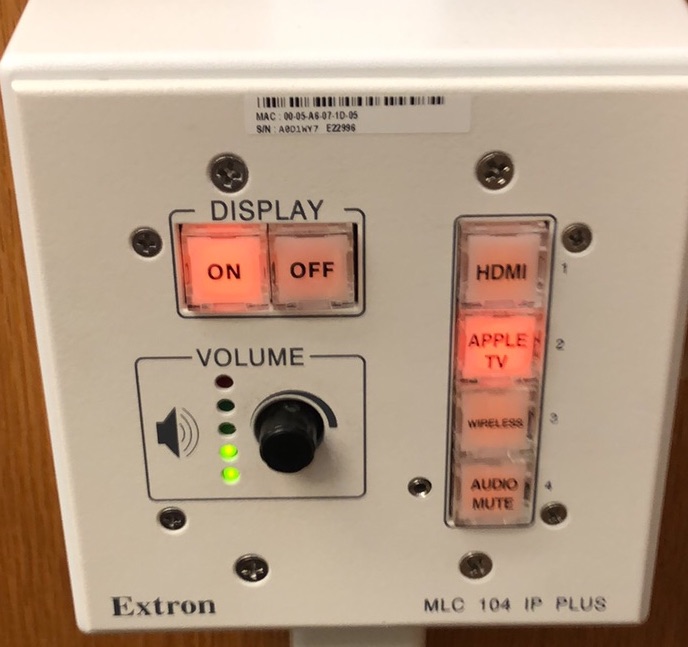
Step 2: Press the "On" button. This will lower the screen and turn on the projector. Make sure no one is standing below the screens. "Apple TV" should be selected as the input.
Step 3: From your Mac laptop, iPhone, iPad or any desktop in the library connect via AirPlay. The name of the screen is "4W Library".
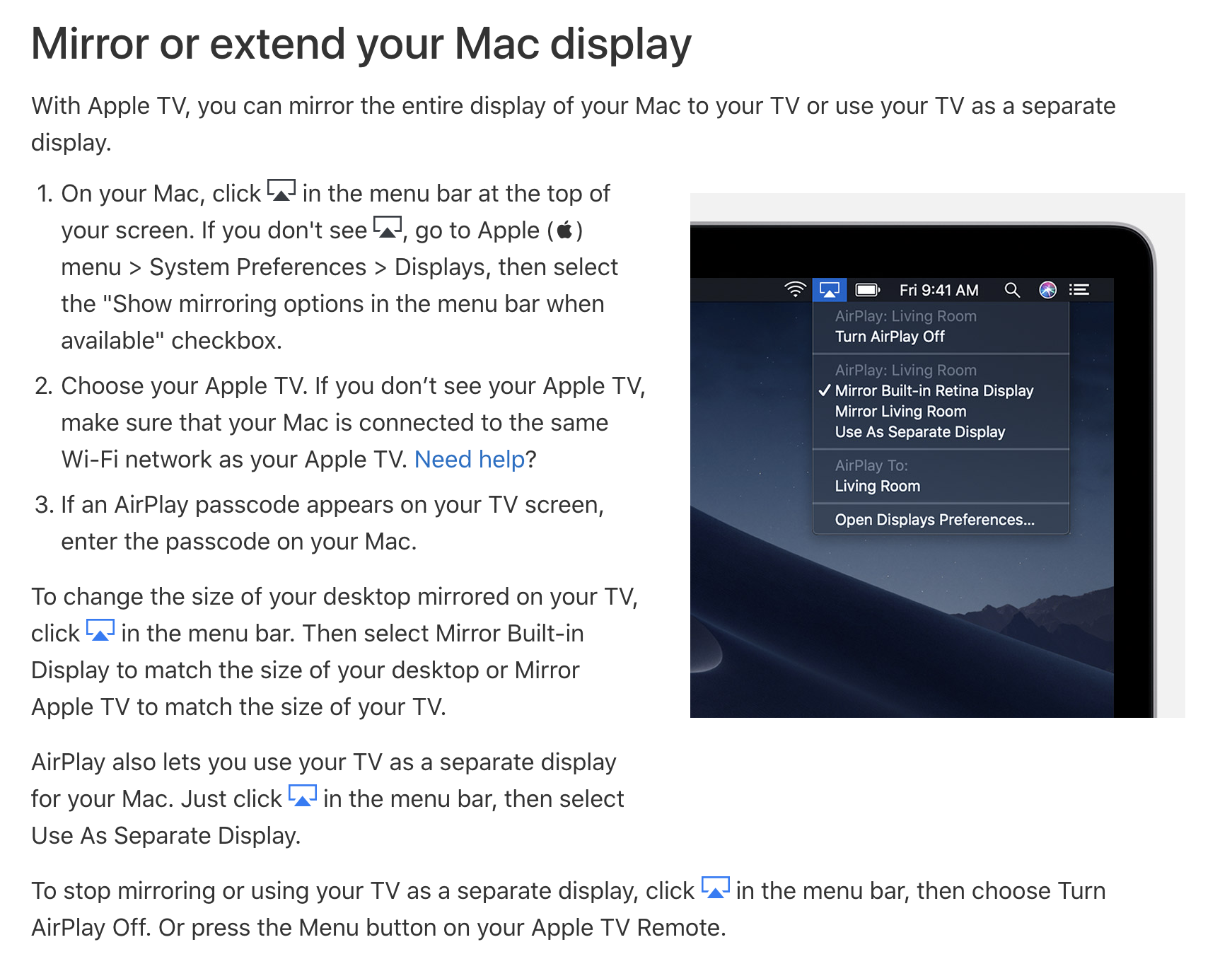
Learn how to connect from other Apple devices.
Step 4: Please remember to hit "Off" when you are done. This will turn the system off and raise the screen back up.