-
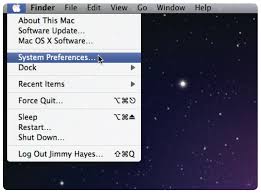
Choose Apple menu > System Preferences.
-
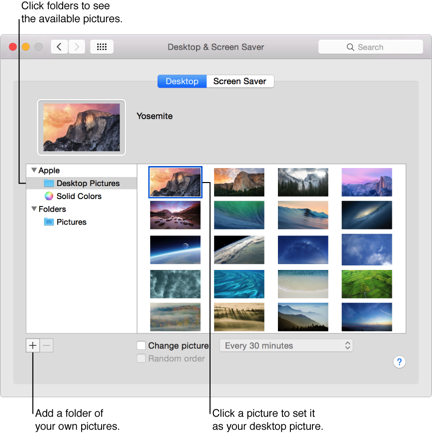
Click "Desktop & Screen Saver"
-
Click "Desktop".
-
Find the picture you want to use:
-
Click the picture you want on the right.
Step 1
Steps 3-5

Choose Apple menu > System Preferences.
Click "Desktop & Screen Saver"
Click "Desktop".
Find the picture you want to use:
Click the picture you want on the right.
Step 1
Steps 3-5