
This will allow your bookmarks, saved passwords, extensions, and other browser data to travel with you from computer to computer.
- Open Google Chrome.
- In the top right, click the button with the person icon

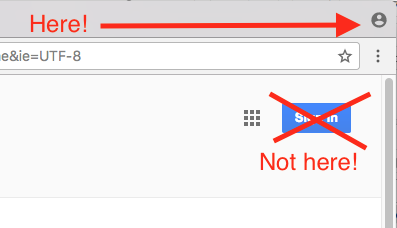
- Click Sign in to Chrome.
- Sign in with your Google Account.
- To customize your sync settings, click
Settings